
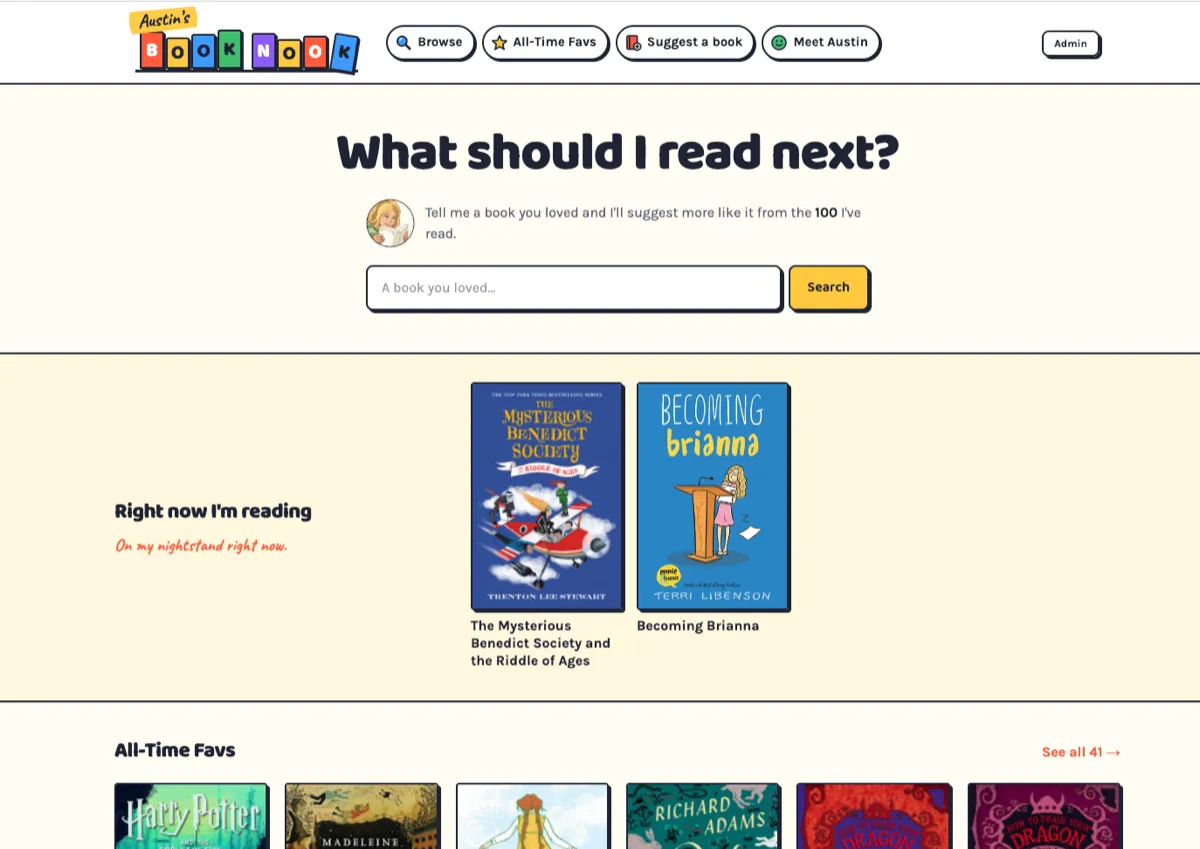
My daughter loves to read. Lately, I’ve been pondering how I can help her pursue this interest (other than more frequent trips to the library). Last month, she was appointed as a library ambassador at her school, helping other students find new books to read. It gave me an idea. What if she and I worked together to create a book recommendation site?
I did some research on the market (like any PM would), put together some basic requirements, and pitched her the idea. She was immediately on board and we got to work.
🚀 Today, we’re excited to launch Austin’s Book Nook, austinsbooknook.com
The concept
Austin’s Book Nook helps answer the question: “what should my kid read next?” Search for a book they liked and find more like it. There are 100 books (and counting) on the site, and each book page tells you three things up front: what it is (fiction or nonfiction), who it’s for (a grade band), and how hard it is (breezy, medium or chewy). Then a short description, a few chips like “scary” or “great friendships,” and an “if you liked this, read these” section, with the reason for each pairing. Links to get the book put the library first, then Libby, then a bookshop.
How we built it
Austin made a bunch of decisions on the design of the site, how the rating schema should work, and of course, she picks and rates all the books (when she’s willing to take a break from reading them, that is). And while a plain description can say what a book is, her thoughts are hers: the site never writes anything in her voice.
Building a site for kids with a content management system that needs to be kid-friendly presented some challenges. Privacy matters a lot, so we decided to have no ads, no accounts, no cookies, and only basic tracking. And we did several rounds of designs for the process to add and rate books, to make it as easy as possible.
Once we had defined all the requirements, I built it with Claude Code as my coding partner. The stack is deliberately small: Next.js on Vercel, Supabase for the database, and Open Library and Google Books for the facts about each book. The part I’m happiest with is Austin’s workflow. She scans a book’s barcode with a phone, the site finds the title, author, cover and page count, and then she works through a stack of cards to rate it: which shelf, how hard, a few chips, a couple of read-alikes.
The build was the fast part. Real books are what broke my assumptions. Covers that were missing. Titles too long for the cards, which used to cut off “How to Train Your Dragon: How to Steal a Dragon’s Sword” mid-name. Scans of the wrong edition of a book, with a cover and page count that weren’t right. Each one became a feature: a cover fallback, titles that wrap, and a way to switch a book to a better ISBN after seeing what that number actually is. And adding hundreds of books is no small task.
What’s next
Right now we’re sharing it with parents and teachers and collecting feedback. We don’t know yet whether other families will use it the way we hope. But, the goal isn’t traffic. It’s a shelf a kid can trust, and a parent can hand to their child without a second thought. And most importantly, it is a fun project that my daughter and I can work on together.
Ok, Austin recommended the Cat Kid Comic Club series, so I’m off to do some reading.